Replicate
Overview
Replicate is a cloud-based service that allows machine learning models to be deployed and accessed via a centralized API platform.
tip
You only need to add one Replicate connector to your Bottle Rocket account to use all of the Replicate model workflows.
Prerequisites
- In order to create a Replicate connector, you will first need to sign up for a Replicate account.
- Though the costs are significantly low (e.g. $4 per 1000 pages for
datalab-to/marker), an active account payment method is required to be billed in order to use the service.
warning
Pricing can vary based on the model selected and the configuration of the model run.
Refer to the Replicate pricing page for details.
Create the Replicate API token
- Log in to your Replicate account and navigate to the API tokens page.
- Enter a name for the token and click Create token.

- Copy the token as it will be used in the below steps.
Add the Replicate connector to Bottle Rocket
- Login to your Bottle Rocket server.
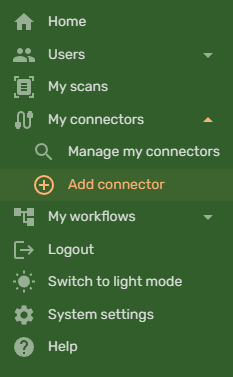
- On the left-hand sidebar, under My connectors, select Add connector.
- Select the Replicate API Connector from the list of connectors, and click the Add connector button.
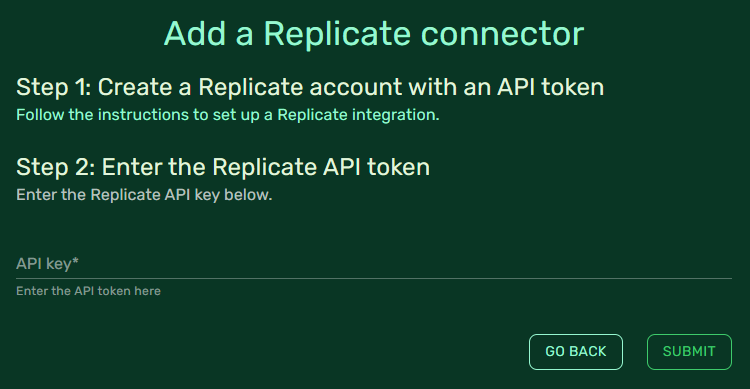
- Enter the API token you created in the previous step and click Submit. If everything has been configured correctly, you should be redirected to the connectors list, indicating that the Replicate connector is active.
